
Use case, retail and QSR
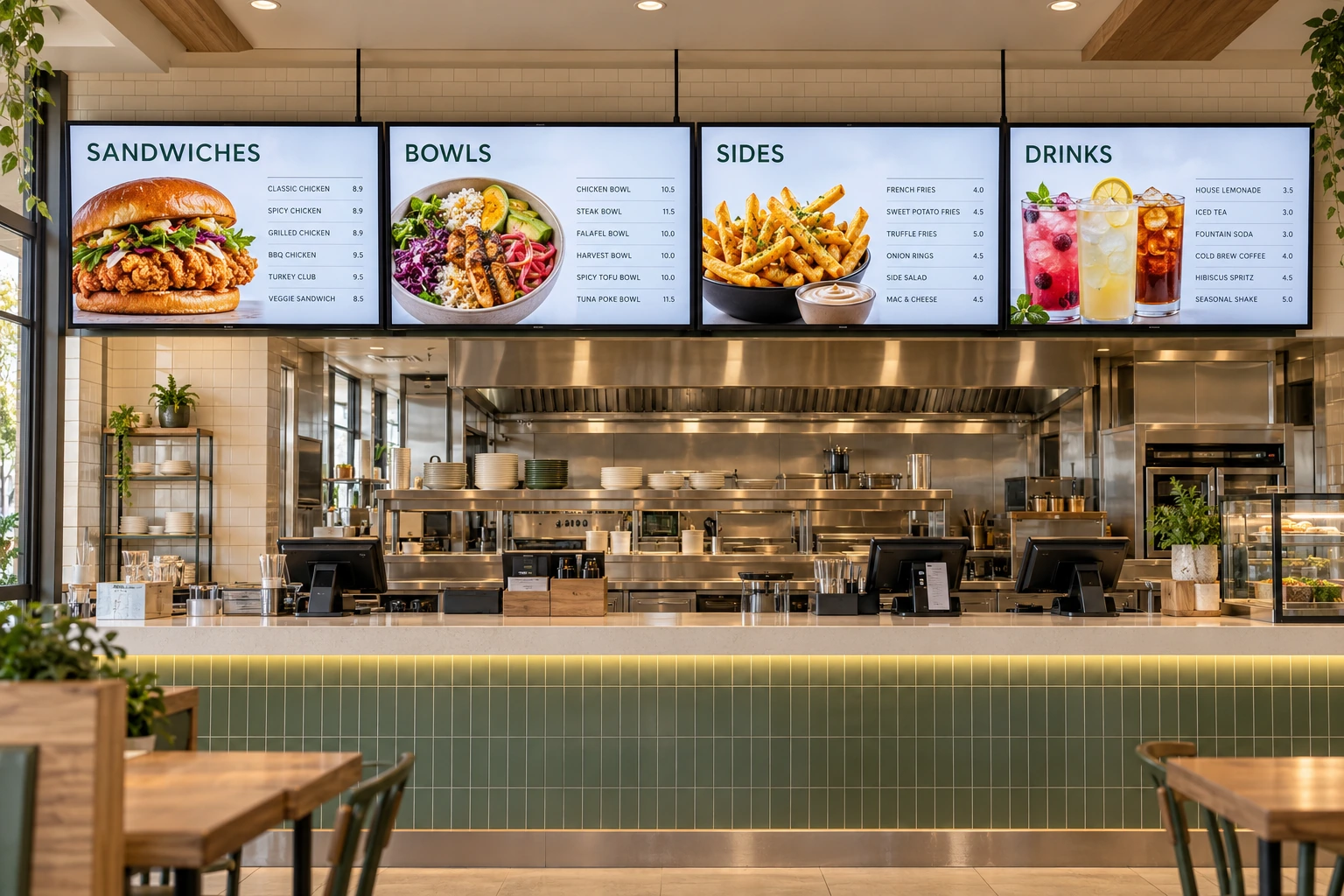
Digital menu boards
Prices from the system that already holds them, dayparts on a schedule, and a board that keeps showing the menu when the network drops, run on the panels in the store with no player behind them.
Stores are tagged by region, format or franchisee, so a price change reaches every board carrying the tag at once. Uploads can wait for approval before they go live, and Samsung Tizen and LG webOS panels switch off after closing and back on before opening.
Prices from your source
The price on the board is the price in the system.
A menu board shows live prices in one of two ways. A web view zone shows a menu page your pricing or point-of-sale system already serves, and updates with it. Or prices are pulled from an API into an HTML template as variables, so the design is Adverro’s and the prices are yours.
There is no shipped connector for a specific point-of-sale product. If your system has an API or a web page, the path exists today, and the work is in your system exposing the data.
Refresh | A configurable refresh interval on the source makes the board pull again once it elapses. |
When the source stops | The board holds the last price it received rather than blanking the zone. For a price that is a decision to take deliberately, because a held price is a stale one. |
Image content | Menu images can carry an expiry time and a scheduled start, so a promotion ends on the date it should. |
Dayparts and promotions
Breakfast, lunch and dinner without anyone touching a screen.
Schedules on every playlist
A playlist can carry several schedules, each with start and end dates and times, chosen weekdays and days of the month, so a promotion runs exactly the days it should.
Dayparts with cron
A standard cron expression repeats a change on a pattern: 0 11 * * * switches to the lunch playlist at 11 am every day, and 0 11 * * 1-5 does it on weekdays only.
Approval before it goes live
A Content Manager’s upload can be routed to a Client Admin for approval before it is published, which is where a brand or pricing check sits.
Layouts with zones
A playlist is a layout: a canvas in portrait or landscape with zones for the menu, a price panel and a promotion, each playing its own content.
In the store
What happens on the shop floor.
The network drops
The board keeps playing from its cache, and a daypart change still happens on time if its content was downloaded before the connection went.
Closing time
On Samsung Tizen and LG webOS panels a schedule switches the board off after closing and on before opening. On Android and Windows it dims the board to its lowest brightness instead.
A price change for a region
Stores are tagged by region, format or franchisee, so a playlist published to a tag reaches every board carrying it at once.
No box behind the board
Commercial panels run Adverro on their own chip, so there is no player to mount above a fryer or behind a counter, and nothing extra to fail in a kitchen.
Running boards across an estate?
Bring your pricing system and a store layout to a demo, and a product specialist will show how the prices reach the board.